Giving Tuesday Text Messages: Templates & Guide
November 4, 2026
Giving Tuesday Text Messages: Templates & Guide
Giving Tuesday 2026 is Tuesday, December 1.
Giving Tuesday is one of the biggest fundraising days of the year, and texting is one of the most direct ways to reach supporters on it. A text gets read on a day when inboxes and social feeds are flooded with appeals. This guide covers how to set up a Text2Give campaign, the text message templates to send to each audience, a send schedule for the day itself, and what to do once it's over.
Before Giving Tuesday: Set Up Your Campaign
1. Set one clear goal
Pick a single number your whole program works toward, and tie it to something concrete: "Raise $25,000 to provide meals for 1,000 families" gives you a story to tell in every message and a progress update to send throughout the day. Decide up front how many donors you want to reach and how you'll measure success.
2. Segment your list
A first-time donor, a monthly donor, and someone who has only volunteered need different messages. At minimum, split your list into:
- Existing donors, who can be asked directly, ideally referencing past gifts.
- Recurring donors, who should be thanked first and invited to make a one-time Giving Tuesday gift.
- Supporters who haven't given, such as volunteers and event attendees, who are ready to move up to a first gift.
- Potential supporters, who need to hear who you are and why you matter before an ask.
- Lapsed donors, who respond best to a warm "we've missed you."
Tags, list membership, and giving-history fields make this easy to maintain. With Prompt.io's Contact Query, you can build each segment once and reuse it for every send.

3. Make giving as easy as possible
Every extra step between the text and the donation costs you gifts. Send supporters to a mobile-friendly donation page with suggested amounts, and say that no amount is too small. Staged donation pages, where the amount is chosen before the payment form loads, often convert better than a single long form.
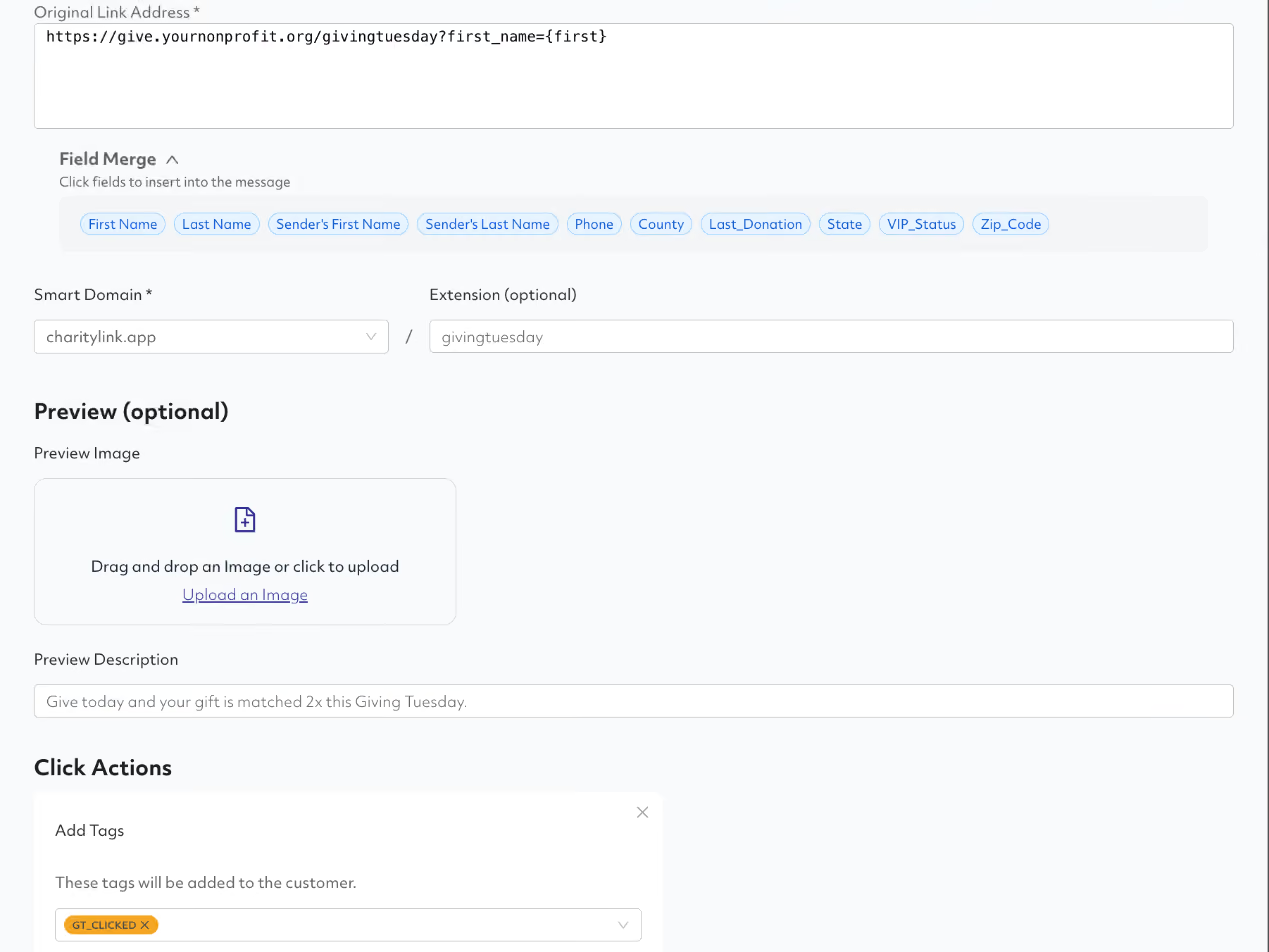
Use trackable links so you can see who clicked and follow up with people who didn't give. SmartLinks keep links short and track every click by contact.
4. Connect your donation platform
Prompt.io integrates with the leading online donation platforms used by campaigns and nonprofits. If you collect gifts through one of them, ask your Prompt.io team to connect it before the day. Without an integration, your texts can link to a donation page, but you can't see who actually gave. With one, every gift flows back into Prompt.io automatically, so you can:
- Pre-fill the donation form. Donation page SmartLinks pass the supporter's name, email, and address into the form and can set a default amount, so it takes fewer taps to go from text to finished gift.
- Thank donors the moment they give. Set up an automatic thank-you text that goes out right after a donation, with different messages for first-time donors or larger gifts. Thank-you texts only go to donors who opted in to texts on the donation form.
- Stop asking people who already gave. New donors are tagged and added to a list automatically, so it's easy to leave them out of your afternoon and evening sends.
- Target by giving history. Build segments by lifetime giving, largest gift, one-time vs. recurring, or people who clicked but didn't give, and use them for follow-ups.
- Track results as they come in. See donation counts, totals, and clicks on each donation page, which makes your midday progress updates easy to write.
5. Line up a match
A matching gift is the strongest urgency lever you have. Ask a board member, major donor, or corporate partner to match gifts up to a set amount, and make the match the headline of your morning message. Milestone challenges ("unlock an extra $5,000 when we reach 200 donors") give you new reasons to text during the day.
6. Check compliance before you send
Make sure your texting is registered for 10DLC well before the day, since unregistered traffic is blocked by carriers and registration can take time. Only text people who opted in, include clear opt-out language such as "Reply STOP to opt out," and respect quiet hours in each recipient's time zone. If you're not sure where your registration stands, talk to a 10DLC expert.
Giving Tuesday Text Message Templates by Audience
Adapt these to your mission and voice. Replace the bracketed fields with merge fields so each message is personal.
Existing donors
"Hi [FirstName], thank you for your past support of [Organization]! This Giving Tuesday, we're raising [Goal] to [Specific Impact]. Will you help us get there again? [SmartLink]"
Recurring donors
"Hi [FirstName], your monthly support keeps [Organization] running all year, and we're so grateful. This Giving Tuesday, would you consider a one-time gift to help us reach [Goal]? [SmartLink]"
Supporters who haven't given yet
"Thank you for everything you do for [Organization], [FirstName]. The time you've given makes a real difference. If you'd like another way to help, today is Giving Tuesday. A gift of [Amount] can [Specific Impact]: [SmartLink]"
Potential supporters
"Hi [FirstName], [Organization] works to [Mission]. Since [Year], we've [Measurable Result]. If you're looking for a cause to support this Giving Tuesday, we'd be grateful to have you with us: [SmartLink]"
Lapsed donors
"Hi [FirstName], we've missed you! This Giving Tuesday, we'd love to have you back. A gift of any amount helps us [Specific Impact]: [SmartLink]"
Your Giving Tuesday Texting Schedule
One text on the day isn't a campaign. Plan a short sequence that builds anticipation, drives gifts on the day, and closes the loop afterward.

One week before: build awareness
"Giving Tuesday is next Tuesday, [FirstName]! We're getting ready to [Project or Goal], and we'd love to have you with us. Watch for our text next week."
Two days before: early engagement
"Giving Tuesday is in 2 days! A gift of [Amount] will [Specific Impact]. Want to get a head start? [SmartLink]"
Giving Tuesday morning: the main ask
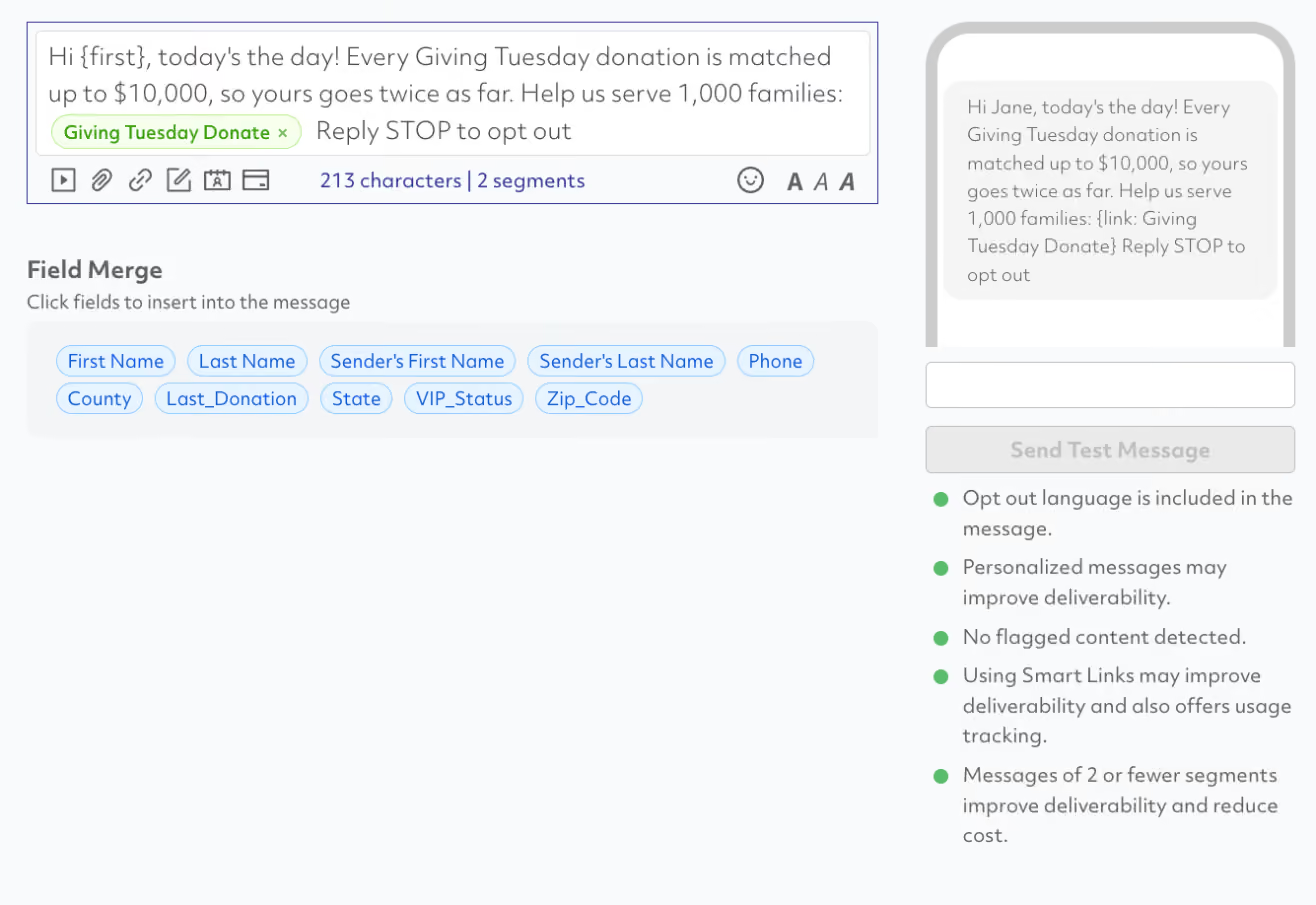
"Today's the day, [FirstName]! Every gift to [Organization] will be matched up to [Match Amount], so your support goes twice as far. Help us reach [Goal]: [SmartLink]"
Midday: progress update
"We're halfway there! Supporters like you have given [Amount Raised] toward our [Goal] goal. Help us keep the momentum going: [SmartLink]"
Final hours: last call
"Only a few hours left in Giving Tuesday, and we're just [Amount Remaining] from our goal. Can you help us cross the finish line? [SmartLink]"
Exclude people who have already given from your afternoon and evening sends. Nobody wants a "just a few hours left" ask right after they donated. If your donation platform is connected, today's donors are already on a list you can exclude.

After Giving Tuesday: Thank, Report, Retain
What you send after the day decides whether a Giving Tuesday donor gives again. Send a thank-you within 24 hours with no ask attached (or right away, automatically, if your donation platform is connected), follow up with an impact update a few weeks later, then invite your most engaged donors to give monthly.
Thank you (within 24 hours)
"Thank you, [FirstName]! Because of you, we raised [Total] for [Project] this Giving Tuesday. We're putting it to work right away and will share what it makes possible."
Want your thank-you to stand out? With FUSE, each donor gets a personalized image with their name and the impact of their gift.

Impact update (a few weeks later)
"Hi [FirstName], remember your Giving Tuesday gift? Here's what it made possible: [Specific Outcome]. Thank you for being part of this."
Invitation to give monthly
"Want to keep making an impact all year, [FirstName]? Join our monthly giving community and help [Organization] serve [Community] every month: [SmartLink]"
For more ways to say thanks, see 7 Donor Thank-You Text Messages That Reduce Opt-Outs. Then carry your momentum into the rest of the season with our end-of-year giving checklist.
Giving Tuesday Texting Checklist
- One clear goal tied to a concrete impact
- List segmented by donor type and giving history
- Personalized messages for each segment
- Mobile-friendly donation page with suggested amounts
- Trackable links on every ask
- Donation platform connected to Prompt.io
- A matching gift or challenge for urgency
- 10DLC registration confirmed, opt-in verified, and opt-out language included
- Send schedule set for the week before, the day of, and after
- Recent donors excluded from late-day asks
- Thank-you and impact messages written and ready
- A plan to review results and invite donors to give monthly
Get Ready for Giving Tuesday with Prompt.io
Nonprofits use Prompt.io For Good to run Text2Give campaigns with segmentation, SmartLinks, donation platform integrations, personalized images with FUSE, and real-time reporting, backed by dedicated support. There's still time to get your Giving Tuesday program ready. Talk to the Prompt.io team.
Our latest blog posts
Giving Tuesday Text Messages: Templates & Guide
The Last 72 Hours: What to Text Before Polls Close