You Can Now See Who Opened Your Polls (And Follow Up Accordingly)
August 19, 2026
You Can Now See Who Opened Your Polls (And Follow Up Accordingly)
"How can I see who opened a poll?" It's one of the most common questions we've heard over the past few months. As of this week, it's answered.
What changed
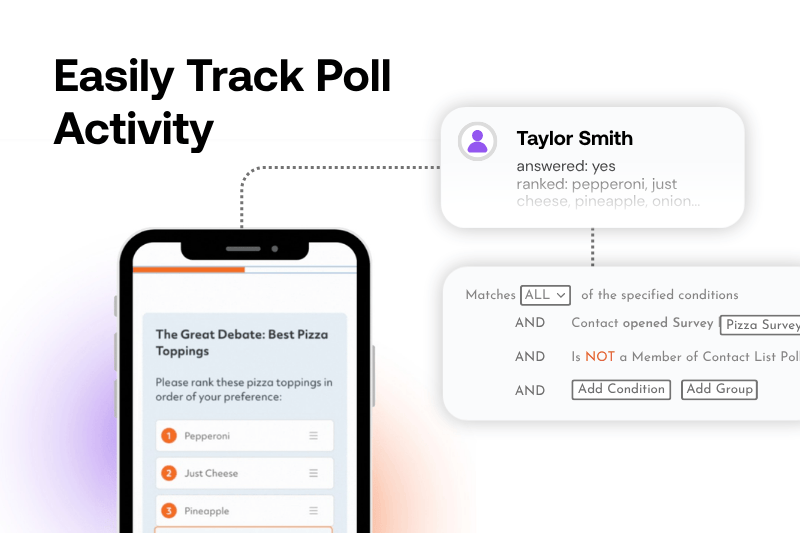
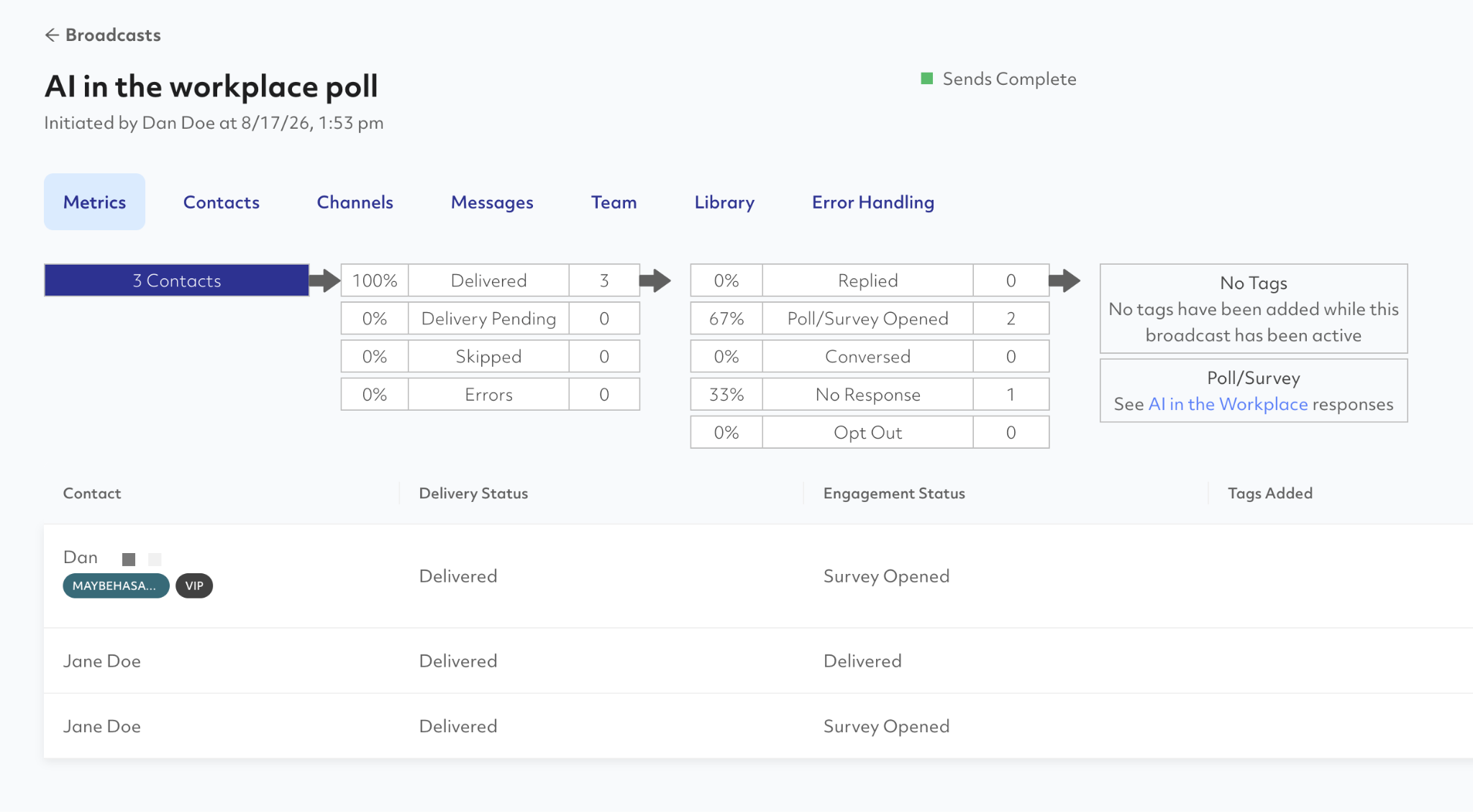
You can now track poll and survey opens as a distinct engagement status. When you send a message with a Polls and Surveys link, your broadcast metrics will show exactly how many contacts opened the survey, alongside your standard delivery and response data.
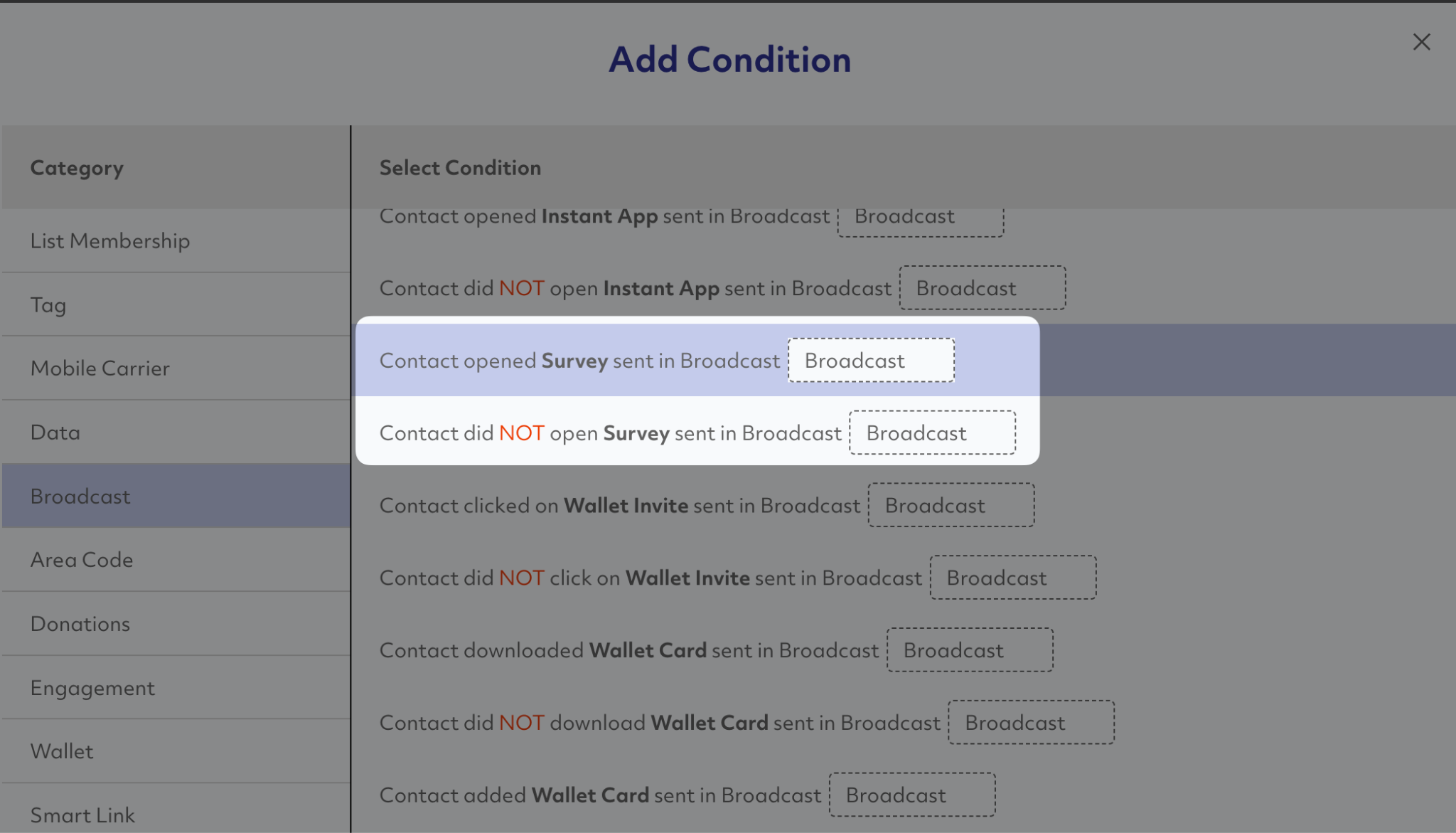
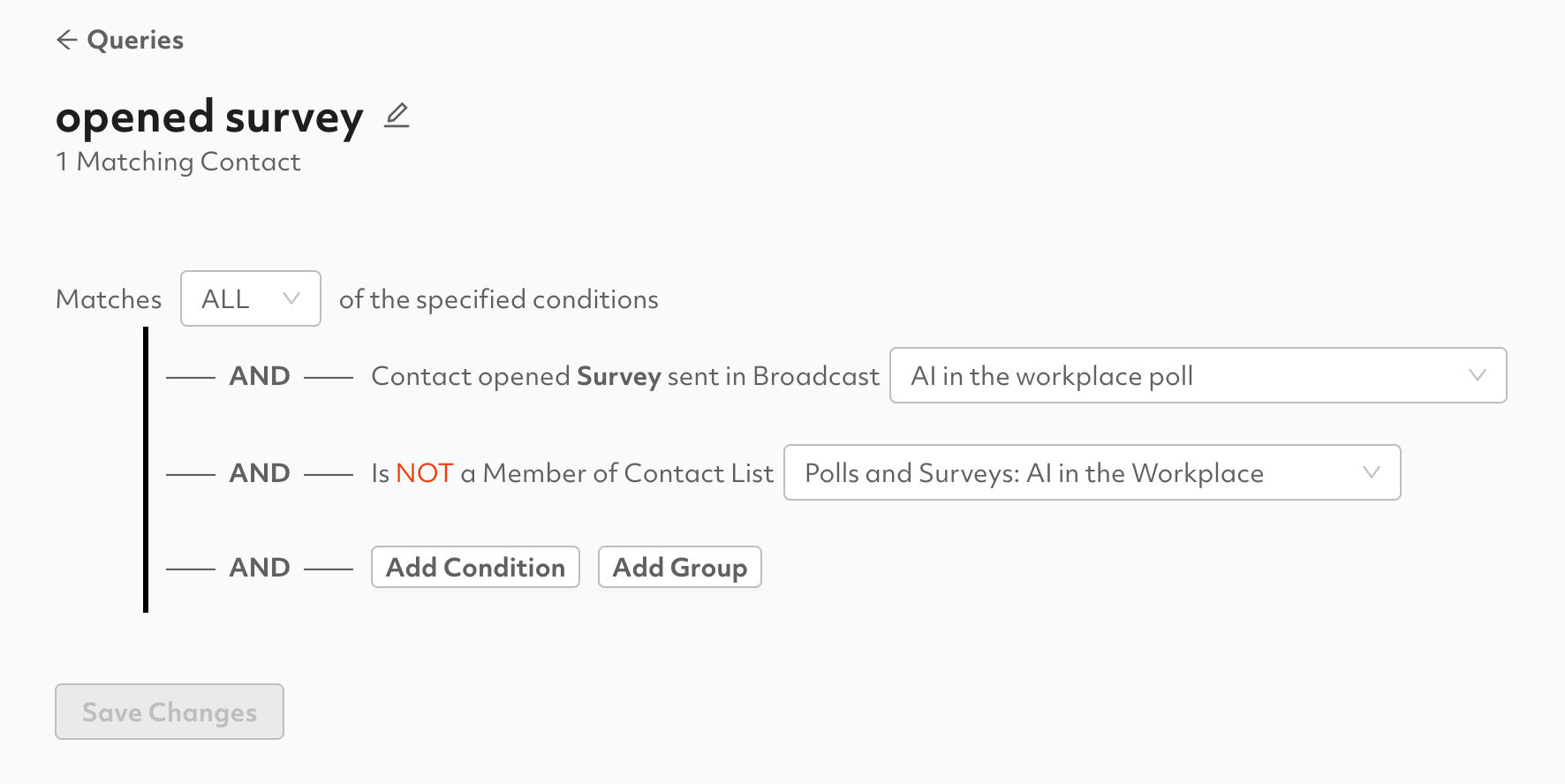
That data is also now queryable in Contact Query. You can build a segment for contacts who opened a specific survey, contacts who did not open it, or contacts who opened it but did not complete it (by combining the open condition with a list membership exclusion). Save the query and it's ready to target on your next send
What you can do with it
The retargeting use cases are straightforward. If you sent a post-event survey and 40% opened it but never finished, that's a warm audience worth a follow-up. If 60% never opened at all, they may need a different message entirely, or a plain text nudge before you send the link again. Now you can treat those two groups differently instead of re-sending to your whole list.
This update is live now. If you have questions about setting up your first retargeting query, reach out to your Customer Success Manager.
Want to get started sending Polls & Surveys with Prompt.io? Reach out to us!
Our latest blog posts
Your GOTV Texting Timeline: What to Send and When Before Election Day
How to Keep Supporters Engaged After the Midterms (With Examples)