Everything Your Texting Program Needs to Know About iOS 27
September 14, 2026
Everything Your Texting Program Needs to Know About iOS 27
Every September, Apple ships a new version of iOS. iOS 27 begins rolling out to all supported iPhones on September 14, 2026, and adoption will climb quickly in the weeks that follow. We're monitoring the rollout closely and updating this post and our product as behaviors are confirmed.
The major change with iOS 27 is with how video, images, and media are displayed for Unknown Senders. As a reminder, an Unknown Sender is any phone number the recipient hasn't saved to their iOS contacts.
Video Message Rendering for Unknown Senders
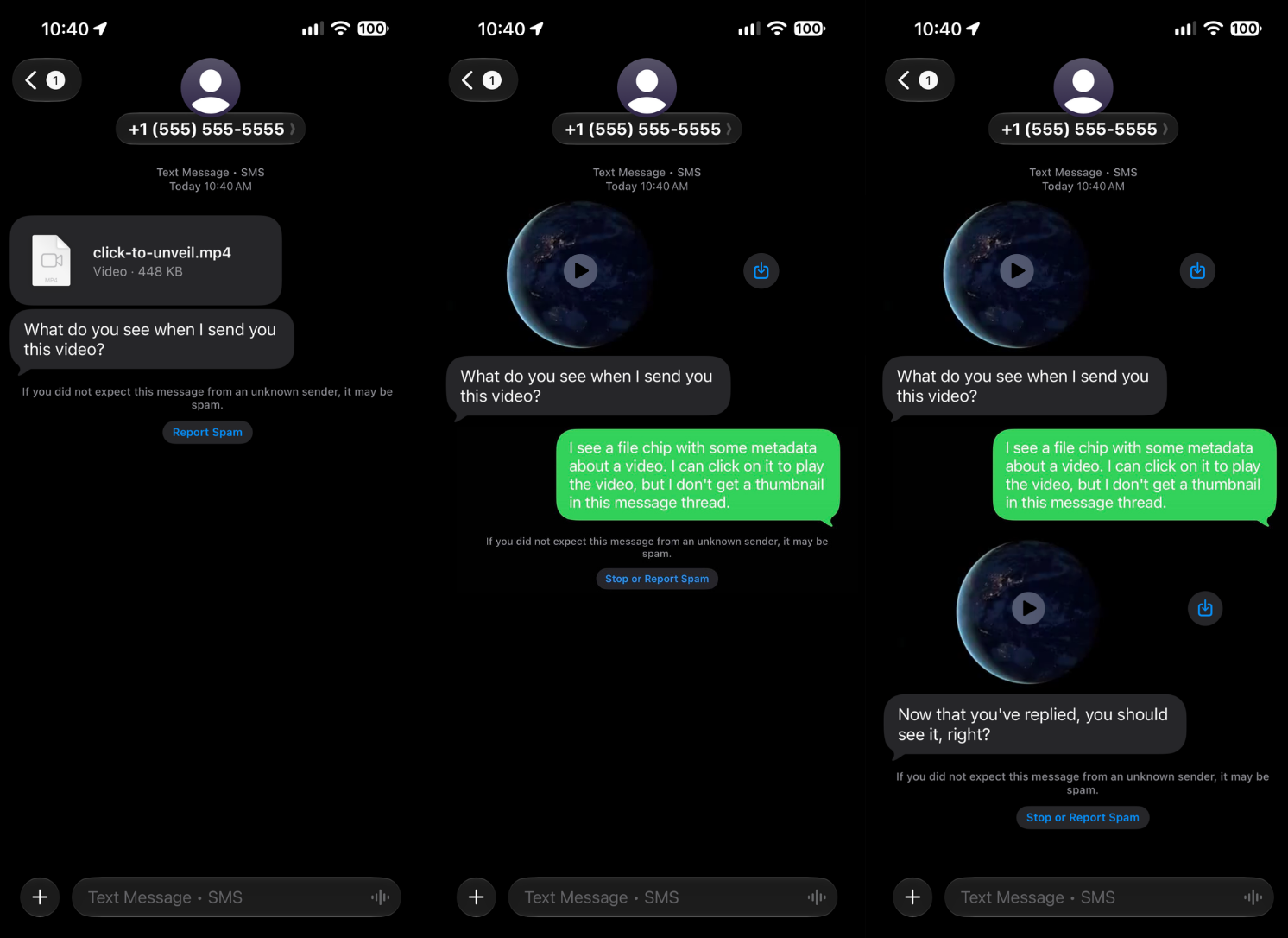
In the new iOS 27 release, videos and GIFs are displayed as a “file chip” showing the name of the video with no preview, even when unknown senders are not screened. Previously, the full first frame of the video would have been displayed.
Once the recipient replies or saves the phone number to their contacts, the video displays normally, essentially with the same look and feel as iOS 26.
Frame 1:
Video appears as file chip to unknown sender.
Frame 2:
Recipient replies or saves the phone number to contacts; the previous video is displayed normally.
Frame 3:
Another video is sent and the video displays normally due to the fact that a previous reply has been sent or the contact was saved.
MMS Image Messages from Unknown Senders
Images (.png & .jpg) are unaffected by default; a message from an unknown sender to a fresh thread will show up as expected and fully displayed.
However, there are some instances we have observed images delivered being displayed as file chips:
- When the recipient returns to an old thread.
- When the recipient toggles the unknown sender filter on, receives a message, and then flips it back off. *(We believe this is a bug, and have contacted Apple about it).
Masked Images when Screen Unknown Senders is Configured ON
Apple released the “Screen Unknown Senders” feature last year in September 2025 in iOS 26. This feature remains “off” by default and recipients have to choose to turn it on. Those that do will see images from Unknown Senders displayed with a mask:
.png)
Recommendations
Every texting program is different, but here are some recommended strategies to help with the changes and challenges presented by iOS 27.
The Media File Name Matters.
When a video renders as a file chip, the filename is what the recipient sees. Rename anything internal before you send, especially names that reference targeting or demographics. Use compelling file names for your videos and images. File names such as Vote Bartlett for Governor.mp4 will likely fare better than final-video-precinct-7.mp4.
Earn a reply before sending a video.
Consider opening to cold contacts with plain SMS or an image over video. Write openers that invite a response: "…and if you text YES, I'll happily send you more policy details!" Drive opt-in keywords, double-opt-in flows, a voting plan response, an RSVP, a question to a volunteer. Any inbound message counts. The moment a contact replies, their message thread is warmed, and outbound videos will be displayed normally on the device.
Specifically target engaged contacts.
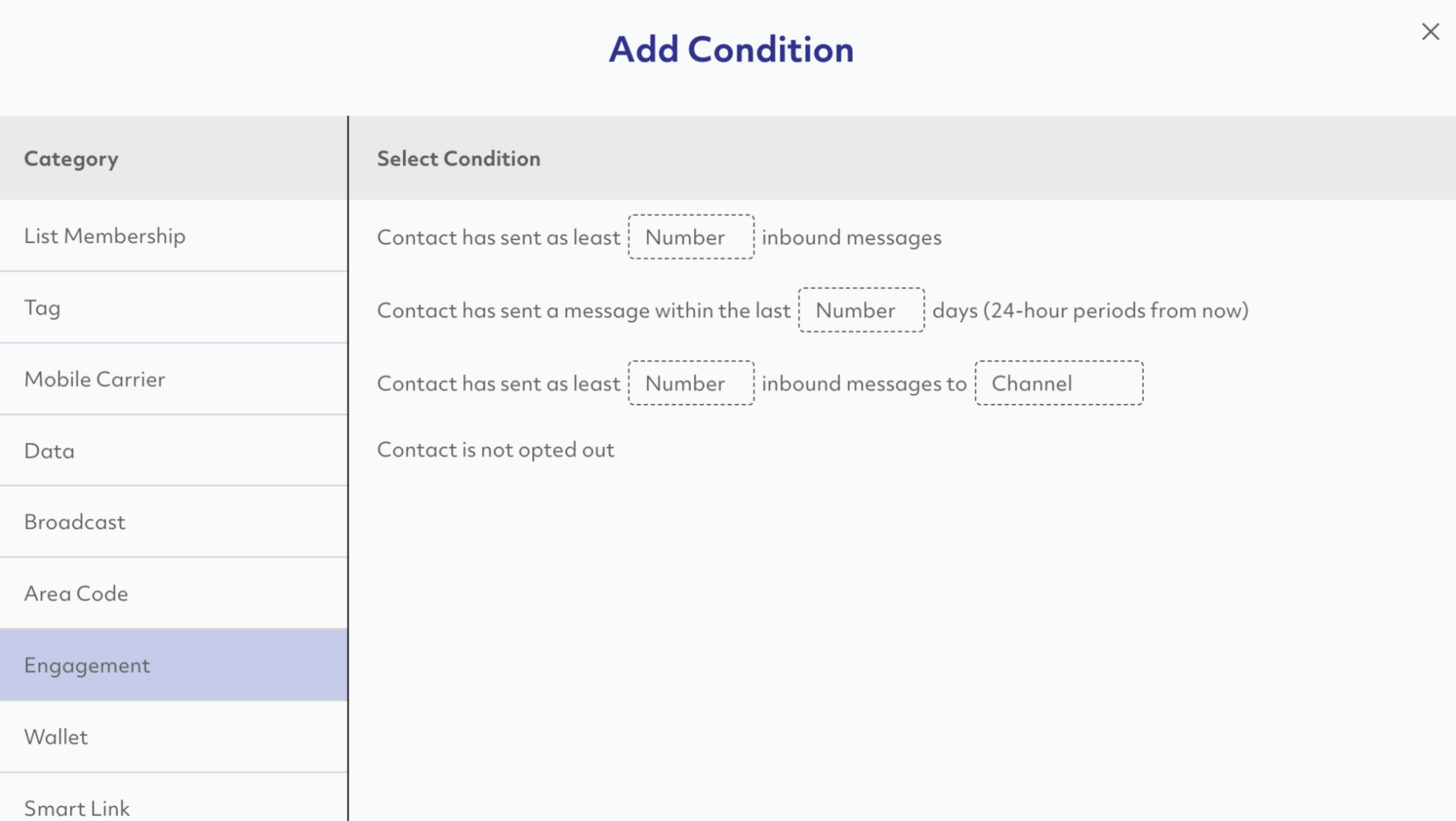
Prompt’s advanced Contact Query feature can help you identify contacts that will receive video messages in fully expanded form. Simply utilize the “Engagement” query and add a filter for contacts that replied with at least one inbound message.
Send vCards early.
A vCard delivers your organization's name, number, and logo as a one-tap save. The more contacts who save it, the more of your rich media renders as intended. Attach vCards in automations and library actions as follow-ups to inbound messages.
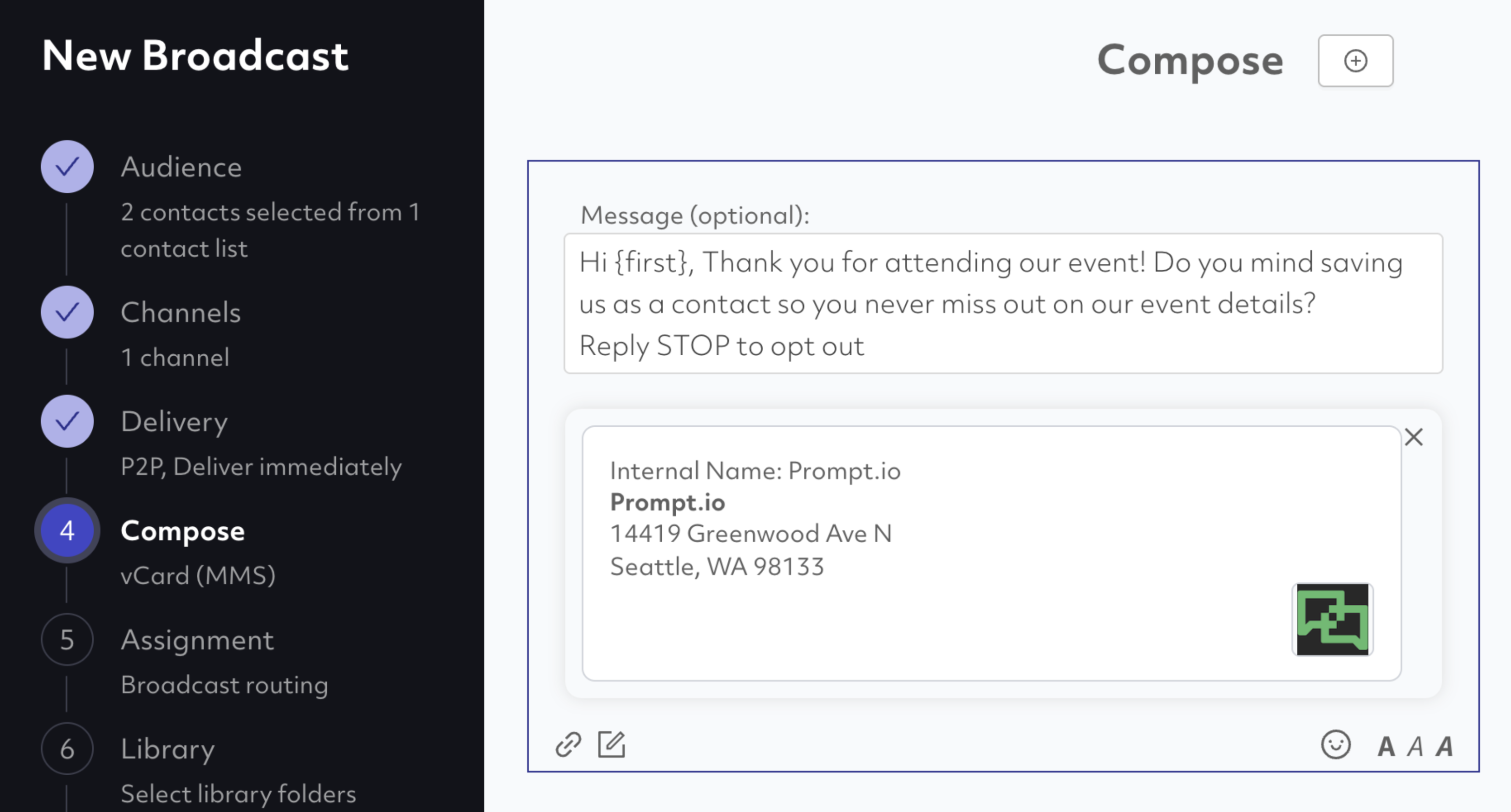
Drive Inbound First Texts.
One of the strongest known-sender signals is a contact who texted you first. Use our "TEXT ME" click-to-text button to create a button you can embed on your website. A click on this button opens Apple Messages pointed towards your organization’s phone number with a pre-filled keyword.
.png)
If the embed code detects a desktop click, it will automatically display a QR code that when scanned on a mobile device will open SMS to the given number and pre-filled message.
.png)
The tool generates the code. You can put it everywhere (and you should), including the back of wallet cards.
.png)
Consider Wallet Cards.
iOS 27 is a useful reminder that not everything has to live in the SMS inbox. Mobile Wallet Cards sit in Apple Wallet. Wallet-based push notifications go directly to the lock screen. For high-value supporters where persistent presence matters between campaigns, consider working with us to implement a wallet card engagement plan.
Conclusion
We've been testing iOS 27 since the June developer beta and continuously monitor the mobile messaging ecosystem for changes like these. If you have questions, contact customer support or your account manager. We're happy to walk through your specific program before your next send.
Our latest blog posts
13 Election Day Texting Tips to Keep Your Messages Delivering in 2026
Your GOTV Texting Timeline: What to Send and When Before Election Day